
Free · Windows · Android
Remote tuning made simple.
Your tuner sends the steps; you follow them at the car. No files to find, no logs to upload — the app does the rest.
Download for Windows Get it on Google Play Buy a tune
Version 1.2.14 · 64-bit Windows 10 or later · about 275 MB installed · the installer needs administrator rights.
Android: Android 8.0 or later, a phone that supports USB OTG, and a USB OTG cable.
What it is
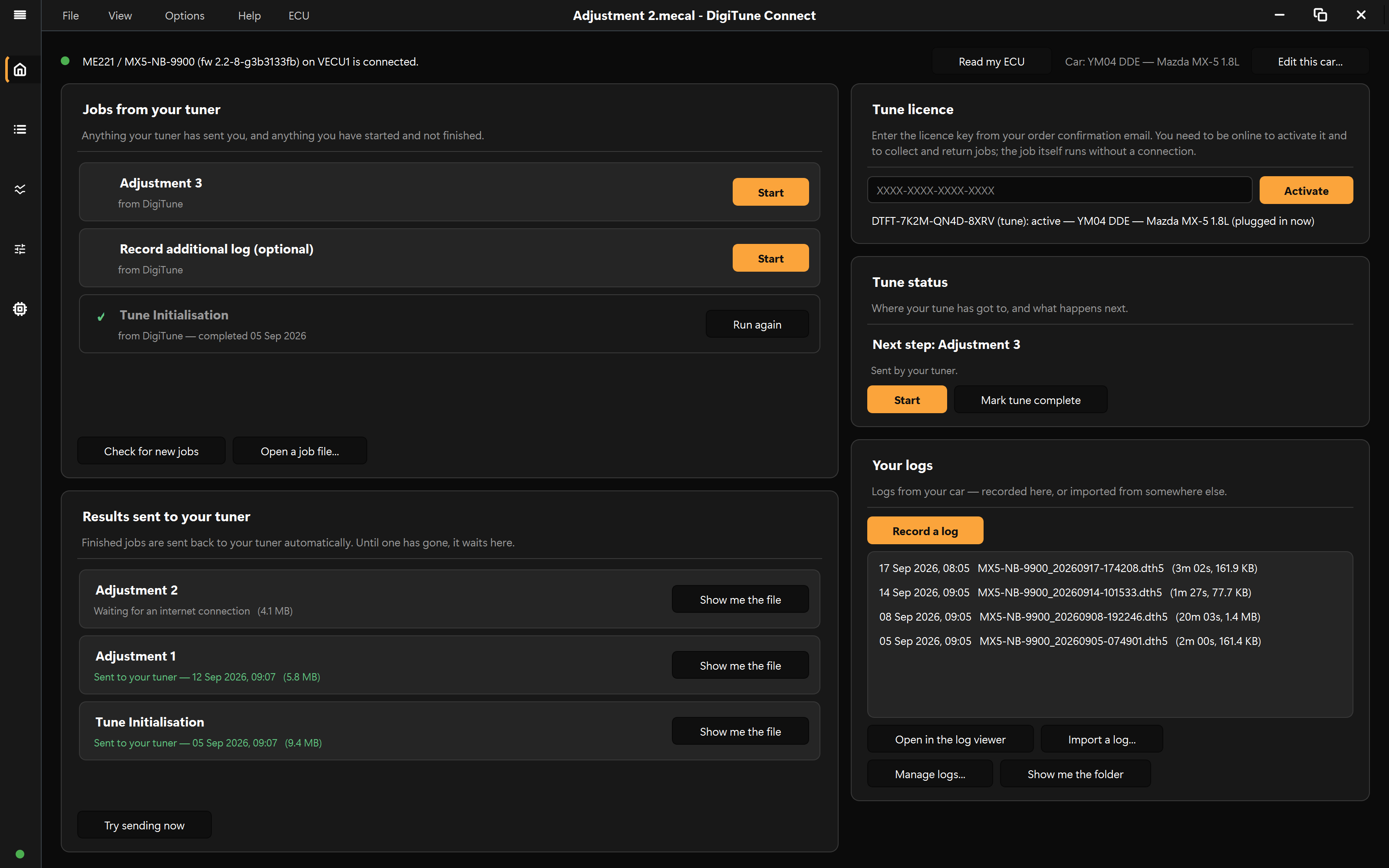
It is how your tune gets to your car
DigiTune Connect is free. What you buy is a tune, and this is how it reaches you.
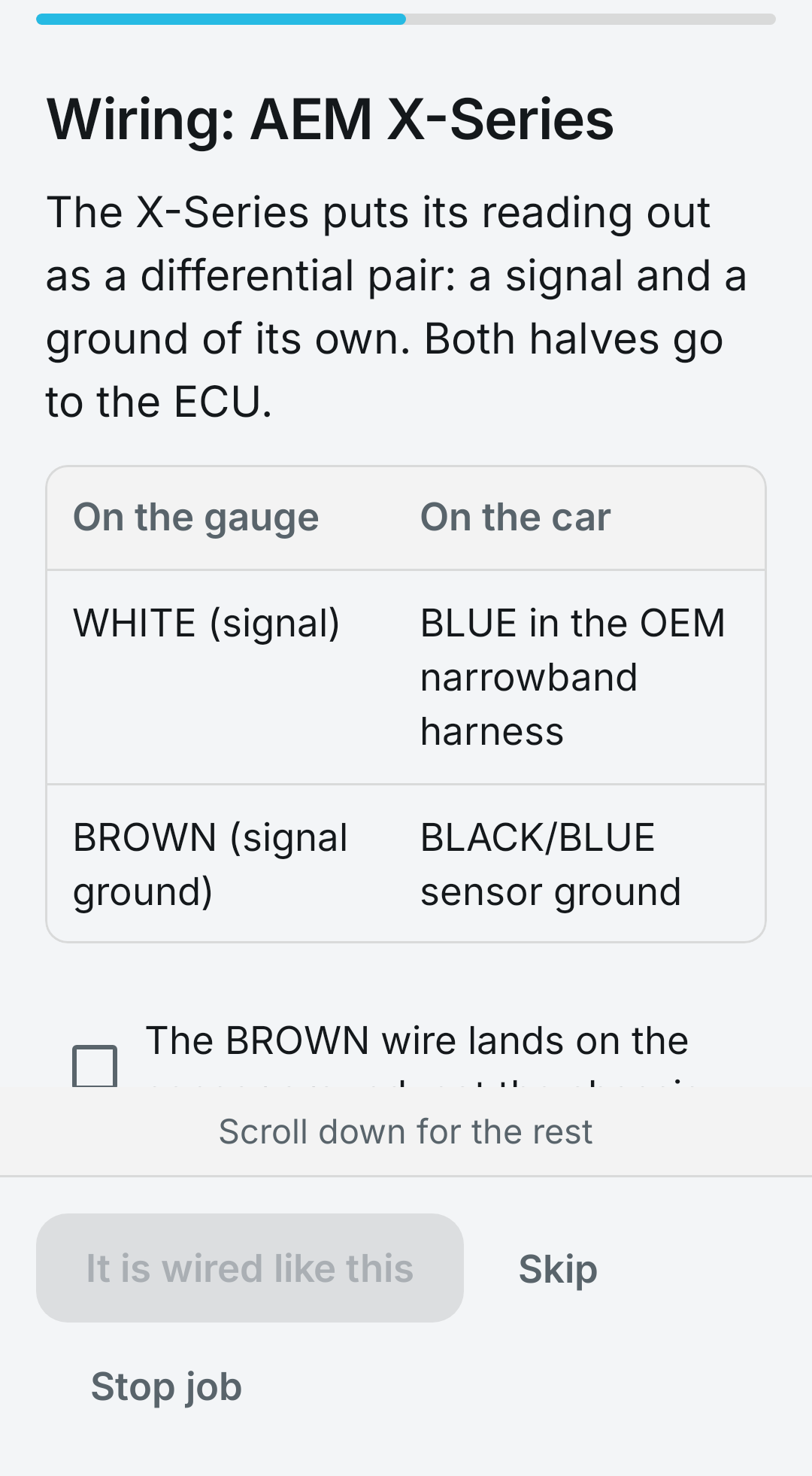
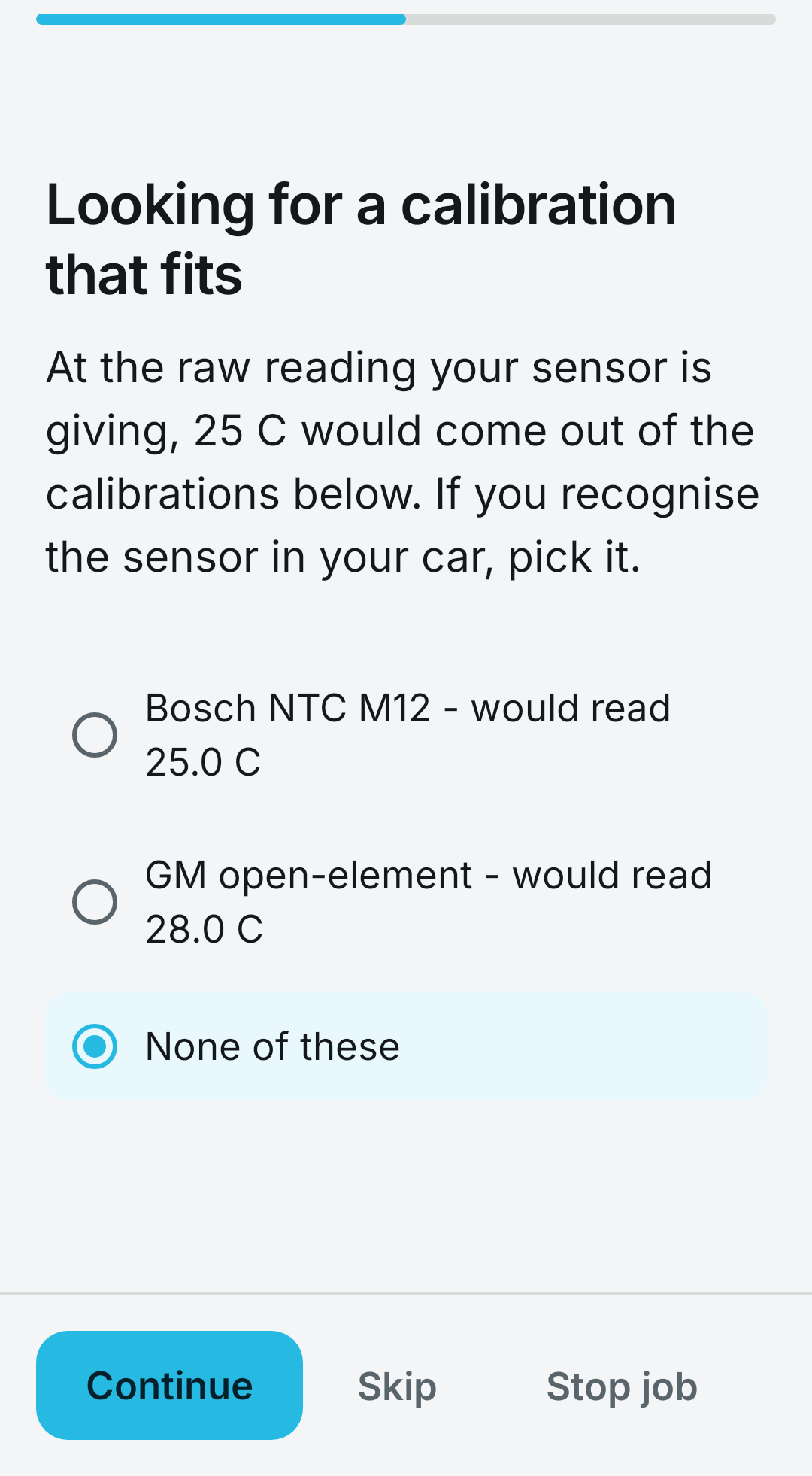
Your tuner writes a job: an ordered list of steps for your car. Some of them ask you to do something — turn the ignition on, point a timing light at the pulley, drive normally for twenty minutes. Some the app does itself against your ECU while you watch. You are never asked to find a menu, pick a file, or decide what to change.
Five steps to get started
- Buy a tune. A licence key arrives by email.
- Install DigiTune Connect on your Windows computer or Android phone, and type the key into the Tune licence box. This is the one step that needs an internet connection.
- Plug your ECU in. The light at the foot of the sidebar turns green and the home page names your car.
- Run Tune Initialisation. It asks about your car, builds your starting tune, writes it, and asks for a warm-up and a drive.
- Add any notes and press Submit to tuner. Your answers, your recordings and the tune itself go back in one file — and your tuner’s next adjustment arrives on the home page by itself.
What it does
Built for the person standing at the car
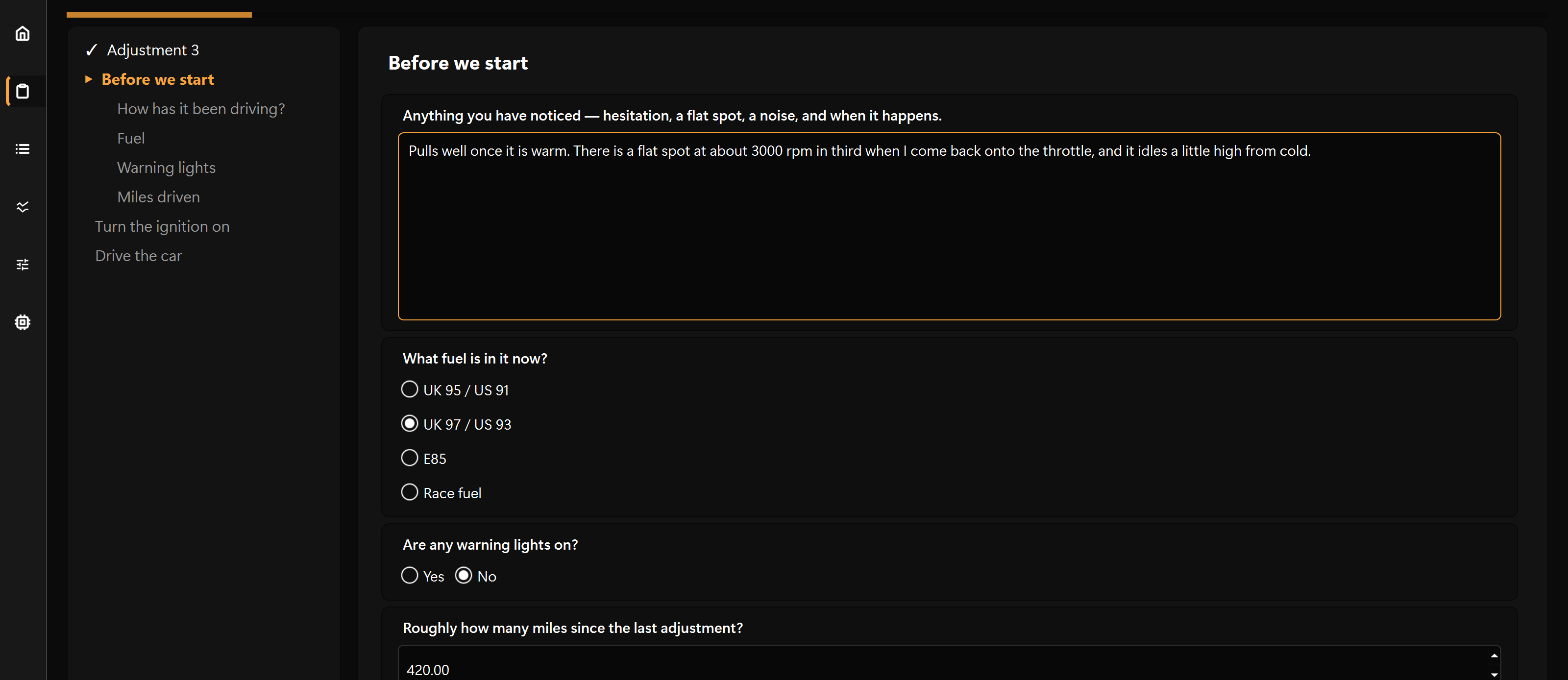
A job, one step at a time
The steps run down the left with a tick against each one done, and the step you are on fills the page. Answered something wrong three steps back? Click it and carry on from there.
Recording that survives real life
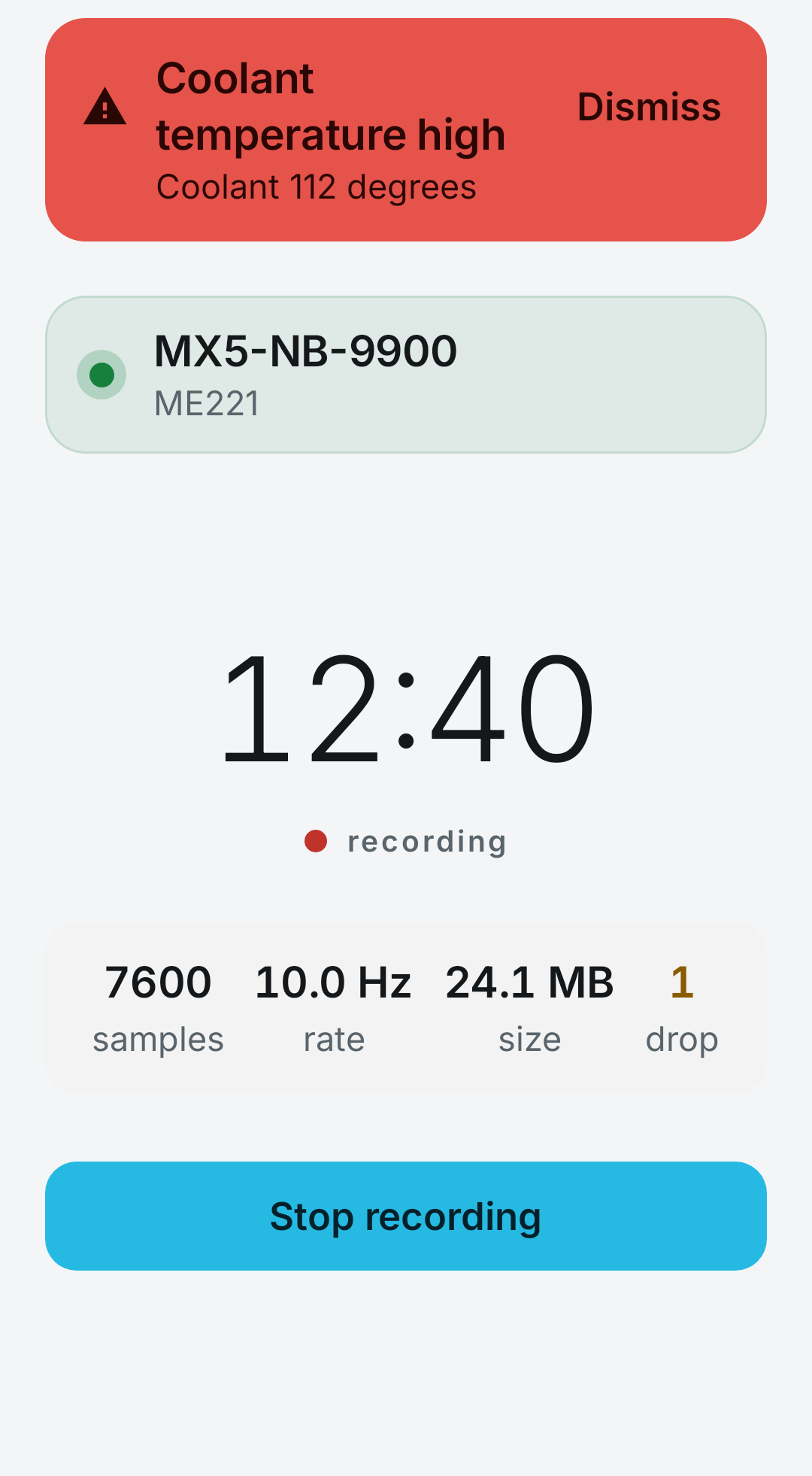
Ten times a second, every channel your ECU reports. It starts at key-on, so cranking and the first start are in the log — and if the cable comes out, the app waits and the same recording carries on.

The last question only you can answer
Every other field answers something your tuner wrote weeks ago. The end of every job is one box: anything you noticed. “It hesitates at 3000 in third.” That is usually what the next revision is made of.

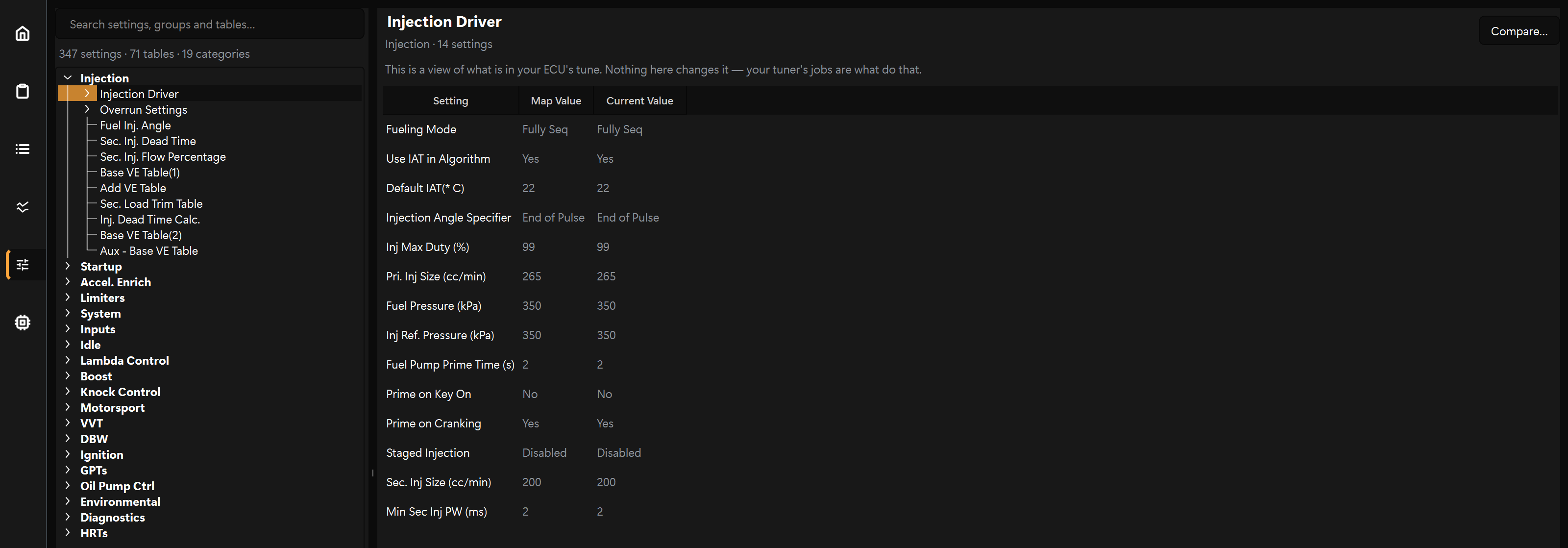
See what is in your tune
Every setting and table your ECU is running, searchable, with the tables drawn. Read-only — it is there so you can see your configuration, not so you can change it.
It warns you out loud
Coolant, knock, a lean mixture, low battery — the app says it, because the person who needs to know is driving. It uses your computer’s own offline voices, so nothing is sent anywhere to make the sound.
It works with no signal
Activating your key, collecting a job and sending a result need the internet. The job itself does not. Finish in a car park and the result goes by itself next time your laptop or phone has a connection.
Your logs, recorded or imported
Every drive you record, in a proper time-series viewer. And if you have come from another platform, bring the logs you already have: Haltech, Link, ECUMaster, MaxxECU, MoTeC, Holley, MegaSquirt, Speeduino, rusEFI or Emtron.
Is this safe?
Nothing happens to your ECU without a step saying so
- A job has to be signed by a tuner the app trusts, and it is locked to your ECU — forwarding it to a friend does nothing on their car.
- A job cannot do anything the app cannot already do. It holds only the permissions it needs, so one that just records a log cannot write to your ECU at all.
- Most changes go to the ECU’s live values, which switching the ignition off undoes. Making them permanent is its own step, after everything has been checked.
- Your old tune is backed up before anything is written, and Stop is on screen the whole way through.

Before you start
What you need
A Windows computer or an Android phone
Windows: 64-bit Windows 10 or later, about 275 MB installed, and the installer needs administrator rights. Android: Android 8.0 or later, on a phone that supports USB OTG, with a USB OTG cable.
A Motorsport Electronics ECU
It connects to the ME221, ME360 and ME442 over the USB cable, and to no other ECU.
An internet connection, three times
Activating your key, collecting a job, sending a result. Nothing else — the job itself runs start to finish without one.
Now on Android
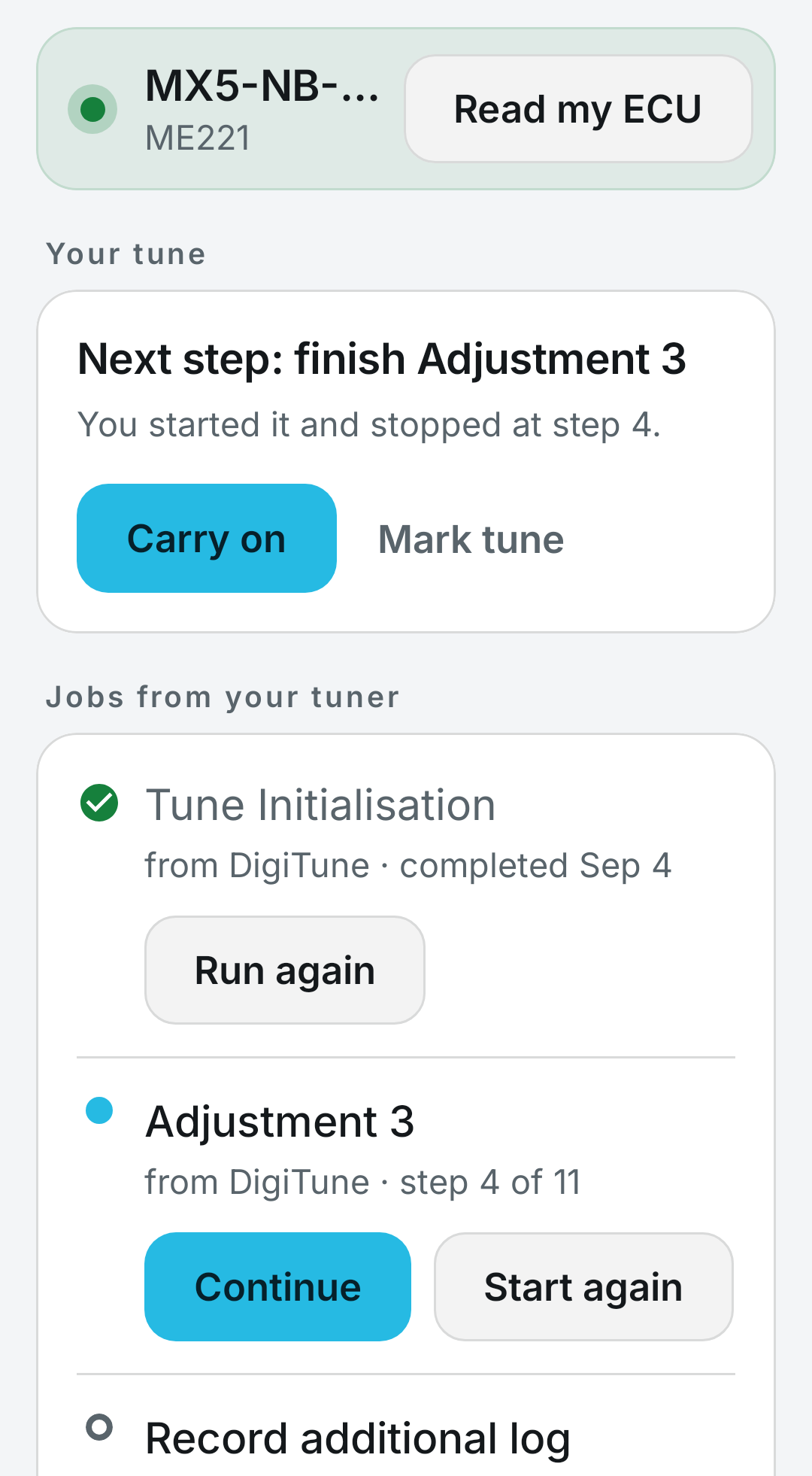
The same job, on the phone in your pocket
Not every car has somewhere sensible to put a laptop. The Android app runs your tuner’s jobs the same way the desktop does — the same steps, against the same ECU, with your phone plugged into it.
It is free on Google Play, and your tune licence works in it just as it does on Windows.
What your phone needs
Android 8.0 or later, and support for USB OTG (host mode) — most modern phones have it. The ECU plugs into the phone through a USB OTG cable or adapter.
The app is free
What you buy is the tune
Full Remote Tune
A complete remote tune for your ME221, ME360 or ME442, worked through in a series of adjustments until the car is right.
Full Remote TuneF.A.Q.
Questions
What does it cost?
Nothing. What you buy is the tune; DigiTune Connect is how you take delivery of it.
Will it work with my ECU?
It connects to the Motorsport Electronics ME221, ME360 and ME442. It does not connect to any other ECU.
It will read log files from most other systems — Haltech, Link, ECUMaster, MaxxECU, MoTeC, Holley, MegaSquirt, Speeduino, rusEFI, Emtron — so you can import a drive you recorded elsewhere and send it on.
Windows says it protected my PC. Is that a problem?
No. The installer is not signed yet, so Windows SmartScreen warns about it the way it warns about any installer it has not seen many times before. Click More info, then Run anyway.
Do that only for the installer you downloaded from this page. If it did not come from the Download for Windows button above, do not run it.
Can a job damage my engine?
Several things stand in the way. A job has to be signed by a tuner the app trusts — a file signed anywhere else is refused. It is locked to your ECU, so a job written for somebody else’s car will not run on yours. It cannot do anything the app cannot already do; it is a list of the app’s own operations in an order, not a program. And it holds only the permissions it needs: a job that records a log has no authority to write to your ECU at all.
Most changes a job makes go to the ECU’s live values only, which switching the ignition off undoes. Making them permanent is a separate step, and it comes after everything has been checked. Before a new tune is written, the one your ECU was running is backed up and travels home with the result.
Stop is on screen throughout.
Do I need an internet connection?
For three things: activating your licence key, receiving a job from your tuner, and sending a result back.
Not for anything else. The job itself runs start to finish with no connection — reading your ECU, writing to it, recording a drive, all of it. A result that cannot be sent waits and goes by itself the next time your computer is online.
Can I use one tune on two cars?
No. A tune licence locks to the first ECU it is run against — one tune, one car. Two cars need two tunes.
Can I change my own tune?
No. The one page that shows the tune — every setting and table your ECU is running — is read-only in Connect. It is there so you can see your configuration, not edit it. Tuning is your tuner’s job, and the app is built so that it stays that way.
What is a live tuning session?
Your tuner works on the car while you drive it, over the internet, seeing the same data they would on a bench. You check in when you are ready, and nothing happens until you agree to the session after being shown what is being asked for. The app says out loud what has just been changed, and at the end you are offered everything back the way it was.
Live sessions are bought separately from a tune.
Is there a Mac or Android version?
Android, yes: DigiTune Connect is free on Google Play. It needs Android 8.0 or later and a phone that supports USB OTG, with a USB OTG cable to the ECU. There is more about it above.
No Mac version, and no plans for one.
Get DigiTune Connect
Free on Windows and Android, and it carries no licence of its own. Install it, plug your ECU in, and put your key in when your tune arrives.
Download for Windows Get it on Google Play Buy a tune
Windows: version 1.2.14 · 64-bit Windows 10 or later · about 275 MB installed · the installer needs administrator rights.
Android: Android 8.0 or later, with USB OTG.
Connects to Motorsport Electronics ME221, ME360 and ME442.